




- Status: Fixed
- Priority: Normal
- Resolution: Fixed
- Platform: Android
- Affects version 1.15.5.0
- Fix version: 1.16.0.0
When I embed a frame inside a form, the pull to refresh of the collectionView activates during scrolling, and if I just show the frame, the error disappears... I'm using a sample project to report this issue, thus using conventional code to embed the frame
procedure TFormMain.ShowFrame(Sender: TObject);
var
  FrameNumber: Integer;
  FrameClass: TfgFormClass;
begin
  TfgAssert.IsClass(Sender, TfgButton);

  FrameNumber := TfgButton(Sender).Tag;

  // Remove previous active frame
  if FActiveFrame <> nil then
  begin
    FActiveFrame.Parent := nil;
    FreeAndNil(FActiveFrame);
  end;

  case FrameNumber of
    1: FrameClass := TFrame1;
  else
    raise EfgAssertError.CreateFmt(SUnknownValue, ['FrameNumber']);
  end;

  // Embed new form as control into lContent layout^
  FActiveFrame := FrameClass.Create(nil);
  FActiveFrame.BeginUpdate;
  try
    FActiveFrame.PositionMode := TfgPositionMode.Relative;
    FActiveFrame.Alignment.FlexGrow := 1;
    FActiveFrame.FullScreen := False;
    FActiveFrame.Parent := lContent;
    FActiveFrame.Show;
  finally
    FActiveFrame.EndUpdate;
  end;
end;
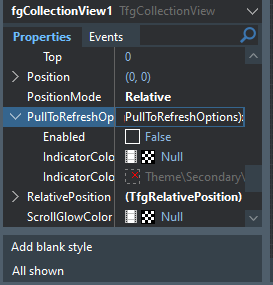
In button 2, I just call the show, and look at the difference, remembering that the pull to refresh is off, I created the collectionView again.
procedure TFormMain.btnShowFrame2Tap(Sender: TObject);
begin
  frame1 := Tframe1.Create(nil);
  frame1.Show;
end;
Obs: button 1 embeds the screen and button 2 calls the frame alone.
Recommended Comments
Create an account or sign in to comment