Michal
Active subscription
-
Joined
-
Last visited
-
It turned out that application must be 64bit. New phones follow Google guidelines and require only 64bit versions
-
Thanks for answer. It is Snapdragon 8 Gen 3. The same error is when compiling fmx application so it must Delphi related. Snapdragon uses ARMv9.2-A instruction set.
-
On Samsung 24 Ultra with Android 14 and One UI 6.1 any application even sample cannot be installed with message INSTALL_FAILED_NO_MATCHING_ABIS Failed to extract native libraries , res=-113 I don;t know what to do
-
Thanks. Works perfect
-
I tried to import svg created with Inkscape but I got " SVG File is not supported". However it is correctly rendered in preview on the left side but not on the form. I have attached sample (had to change extension to txt) test svg.txt
-
Looks fantastic. Will there be an event OnAnimationFinished or onAnimationProcess?
-
Have you ever considered horizontal version of TfgCollectionView . Nice example is in IMDB app where movie list is scrolled horizontally. Michal
-
Thanks. Very clear . I changed to AddQuadraticCurve and everything is ok now

-
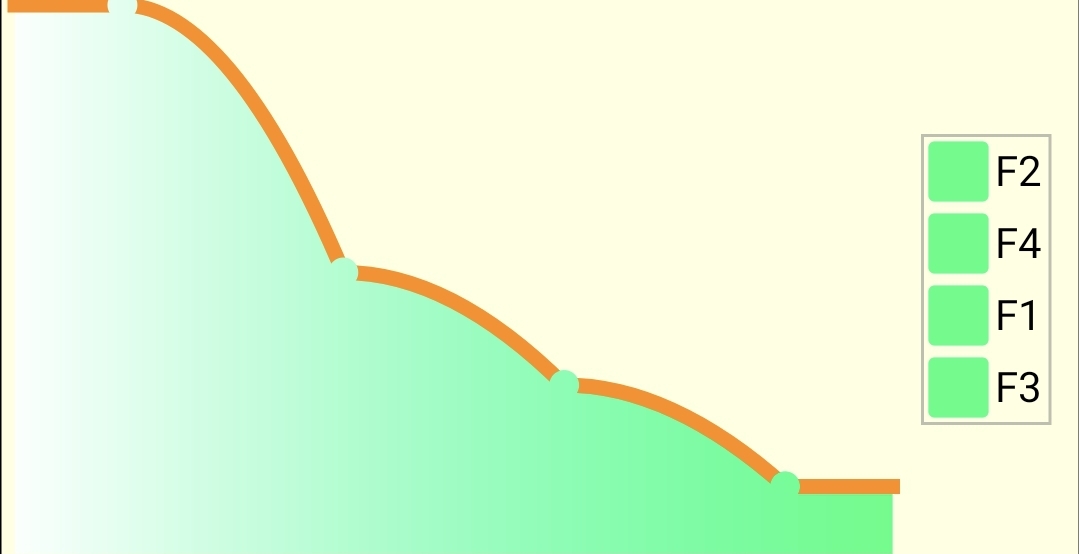
I think I found a solution. I used AddSmoothCurve (this is the function I used in FMX as on picture above) but in FGX i should have used AddQuadraticCurve
-
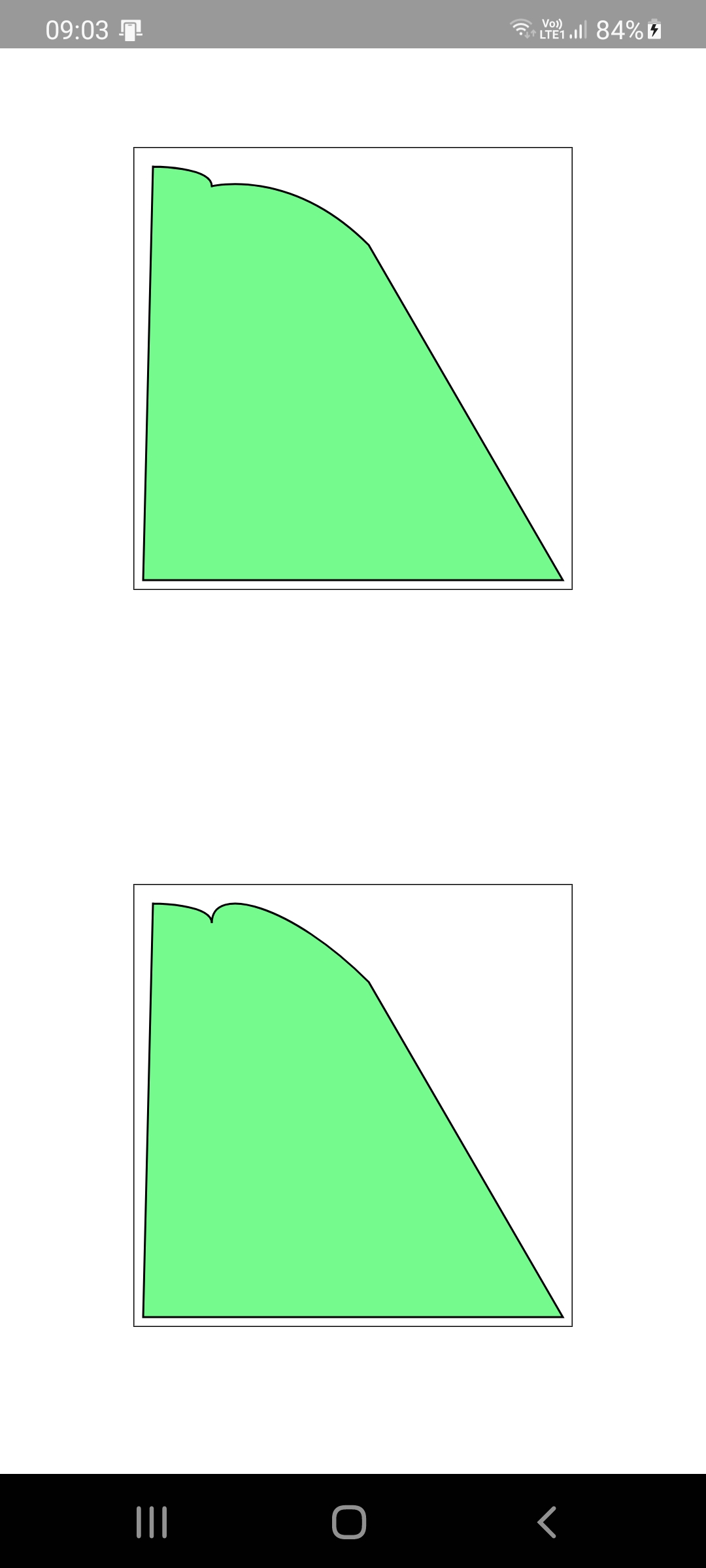
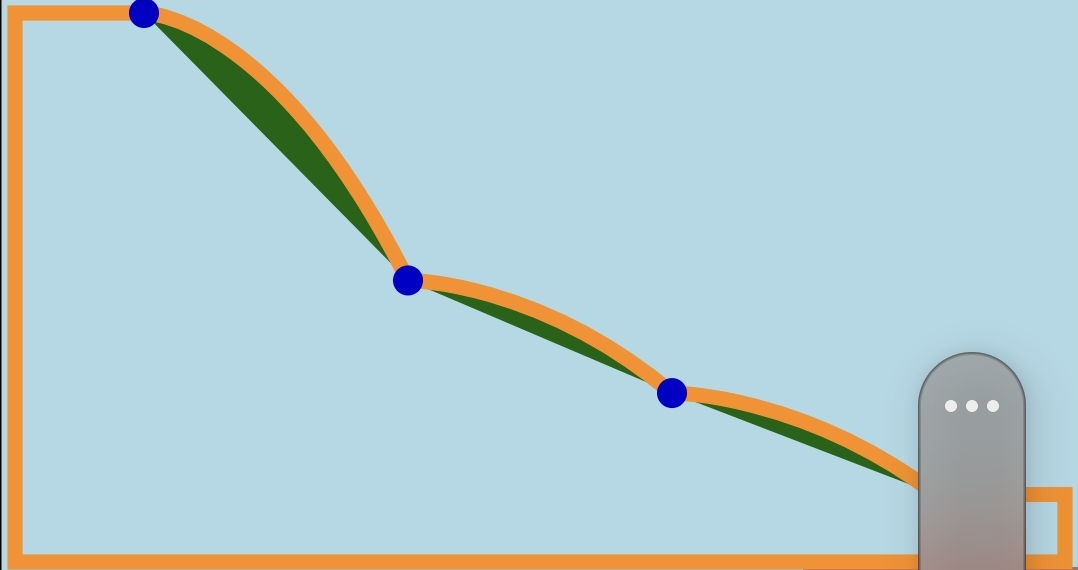
I tried to make a path with and without Moveto. In upper paintbox i do MoveTo after first SmoothCurve. in lower after first curve is next SmoothCurve. You can see difference. What I want to get is on the next picture. I know that MoveTo breaks path but as you can see there is some difference. Maybe it is a control point? Project1.zip

-
Well I tried to draw path without moveto but it was worse. What I am trying to do is to draw curvy line like the orange one you can see in picture. I'm using smoothcurveto with destination point at blue point and control point at the right of blue point at the same y in the middle of them. Without moveto lines look really strange. I know I can combine curves with rectangles and film them separately but in that case i cannot use gradient fill for whole figure. I also don't see that pen is at the last point. If you do moveto(0 0), lineto (100 100) and then lineto (200 200) second line will be drawn from 0 0 to 200 200 not from 100 100 to 200 200.

-
I found something else. I don't know is it a bug or am I doing something wrong. I have a TfgPaintBox where I wanted to draw path. When I call Canvas.DrawPath path is drawn perfectly. When I call Canvas FillPath only part is drawn and it is a part created with AddSmoothCurve. I tried to fill path of simple rectangle but it is not filled . I am attaching project Michal Project1.zip
-
Thank you
-
Hi There is a problem with TfgArch. When SweepAngle is 360 (full circle) it is not drawn. With value greater than 360 only value-360 is drawn. I know I could use TfgCircle but I plan to use TfgArch as part of data chart so I need to use component with customized angle. Michal
-
I will definately do that. By the way . Have you ever considered to make assets and styles name no case sensitive? I know I should be accurate but with accidental mistypes it can lead to some painfull debuging. Especially with TfgCollectionView when incorrect style leads to series of AV. And two another question : do you have any plans for animations? I have some animations achieved by loading xml file A:=TJAnimationUtils.loadAnimation(TfgAndroidHelper.Context,TfgAndroidHelper.GetResourceID('shake','anim')); but I have no idea how could I create such a xml data in runtime. I don't want to deploy xml with app do you plan to add text color property to pickers and calendar?