Omar Zelaya
Active subscription
-
Joined
-
Last visited
Everything posted by Omar Zelaya
-
Hi, You can take a look at www.mitov.com. There are some webinars with face detection demo .
-
Hi, Maybe this old blog can help for some claritification on some "issues" about the changes in version 15. https://blog.marcocantu.com/blog/compiling_android_apps_delphi.html Hope it helps, Omar Zelaya
-
Hi, I'm testing adding the library to add the TBeacon functionality on Android(On iOS works ok). If I just add the TBeacon component I get the following error at startup "Java type com/embarcadero/rtl/bluetooth/le/RTLScanListener could not be found". Thanks in advance, Omar Zelaya
-
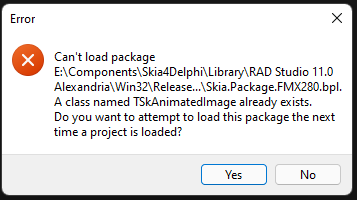
Hi, I'm using Delphi 11.1 and latest FGX. When I add Embarcadero Android Library for example "core-common-2.0.1.dex.jar" I get the following error when linking. "[MSBuild Error] Cannot evaluate the item metadata "%(FullPath)". The item meta-data "%(FullPath)" cannot be applied to the path "". The path is not of a legal form." Any hints? Thanks in advance, Omar Zelaya
-
-
Hi, It is possible to use the delphi TBeacon component on a FGX project? If possible, what libraries do I have to add to the project? Thanks in Advance, Omar Zelaya
-
Hi, Testing the MultiTouch Demo and it doesnt work on iOS, no dots are drawn. Thanks in advance, Omar Zelaya
-
Hi, First time drawer is shown is not animated, after first time is shown animated. Thanks in advance, Omar Zelaya
-
Hi, I know it is possible to do it "manually", I'm all ready doing it. would be more easy that fgx platform could "auto" create it for us. just like Firemonkey does it for example. Thanks in advance, Omar Zelaya
-
Hi, Would be nice to add dots display on each page of pagecontrol. This is very usefull to show user that pages are available to swipe when tabposition is invisible. Thanks in advance, Omar Zelaya
-
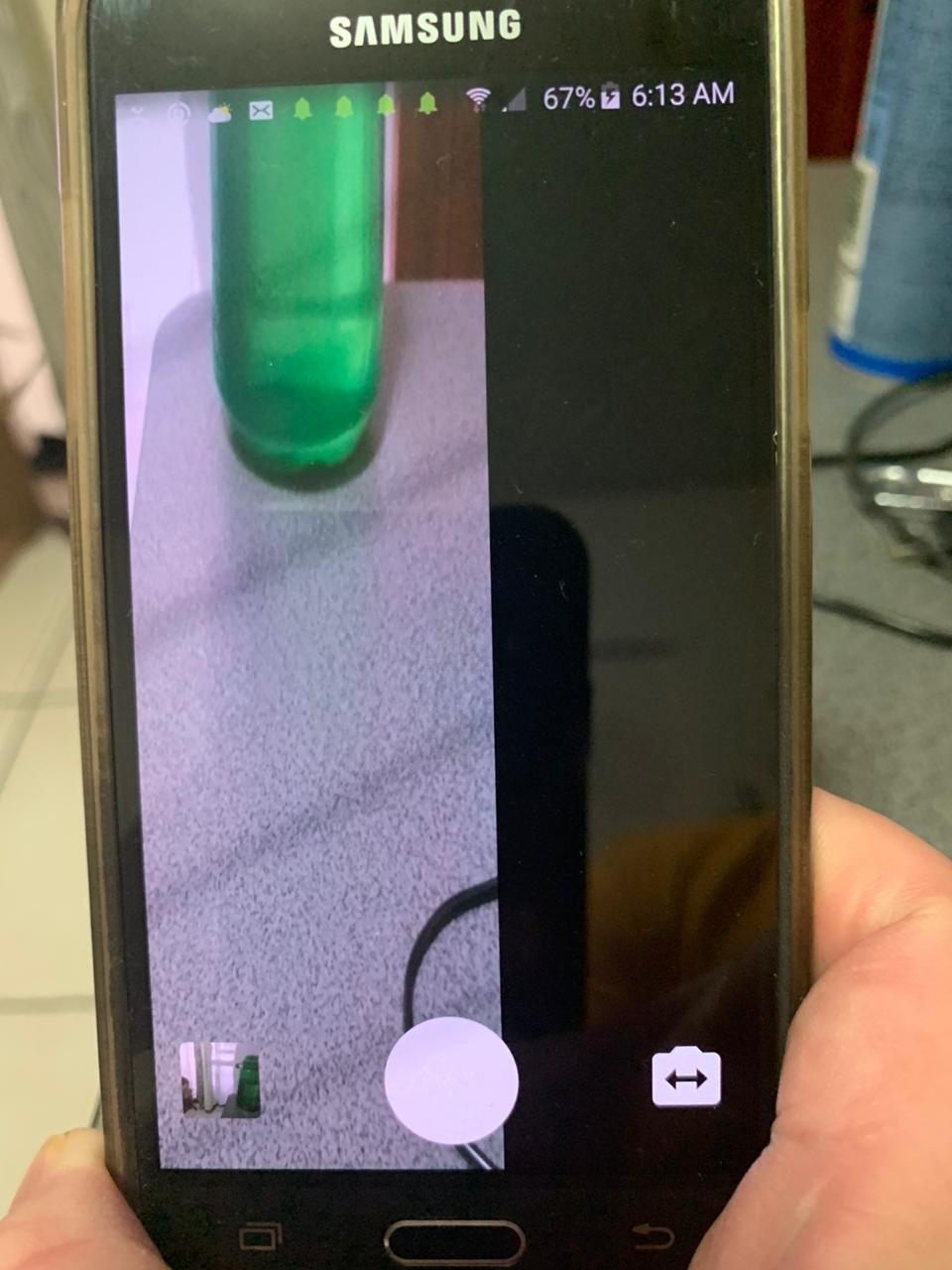
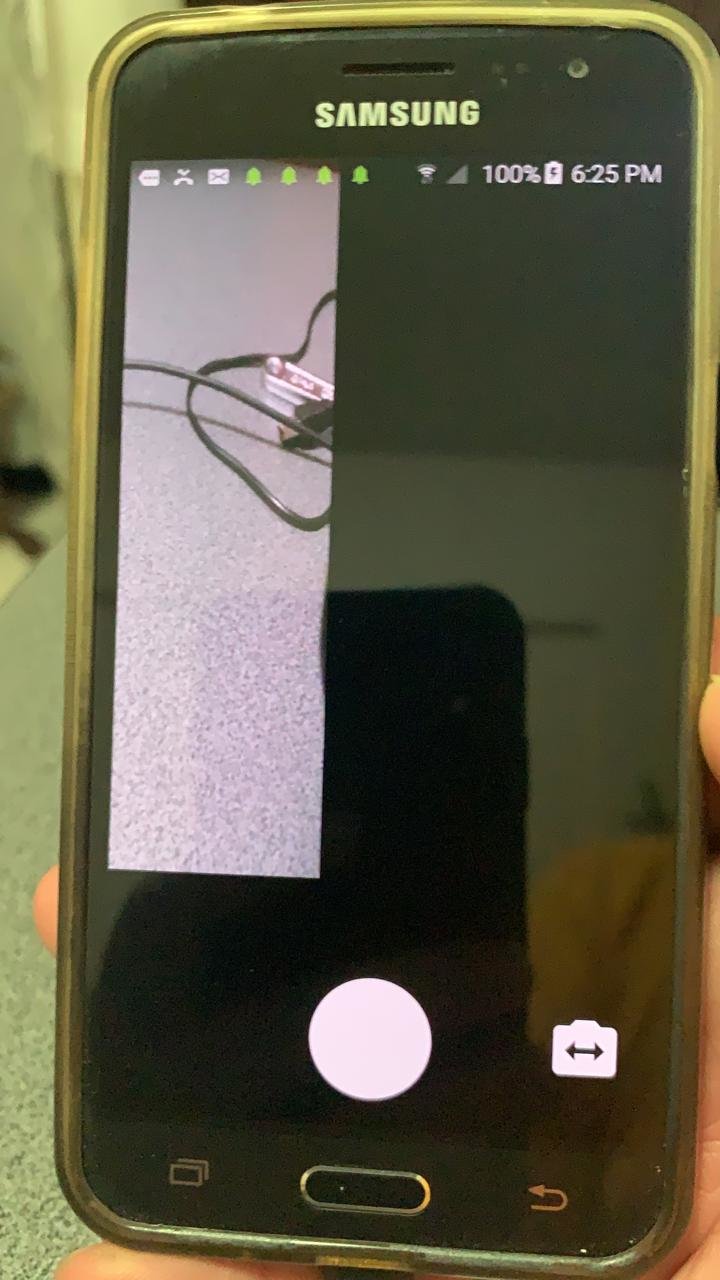
Hi, I'm using a "new" test device a Samsung SM-J260M with Android 8.0.1 with 10.4.1, now when I test the Camera Demo, when I take a pic, the preview image is not displayed ok. When I use front camera it works ok. Any hint? Thanks in advance, Omar Zelaya
8_03_53p.m..thumb.png.558cae67ee7f377d9f011064e3522a6f.png)
-
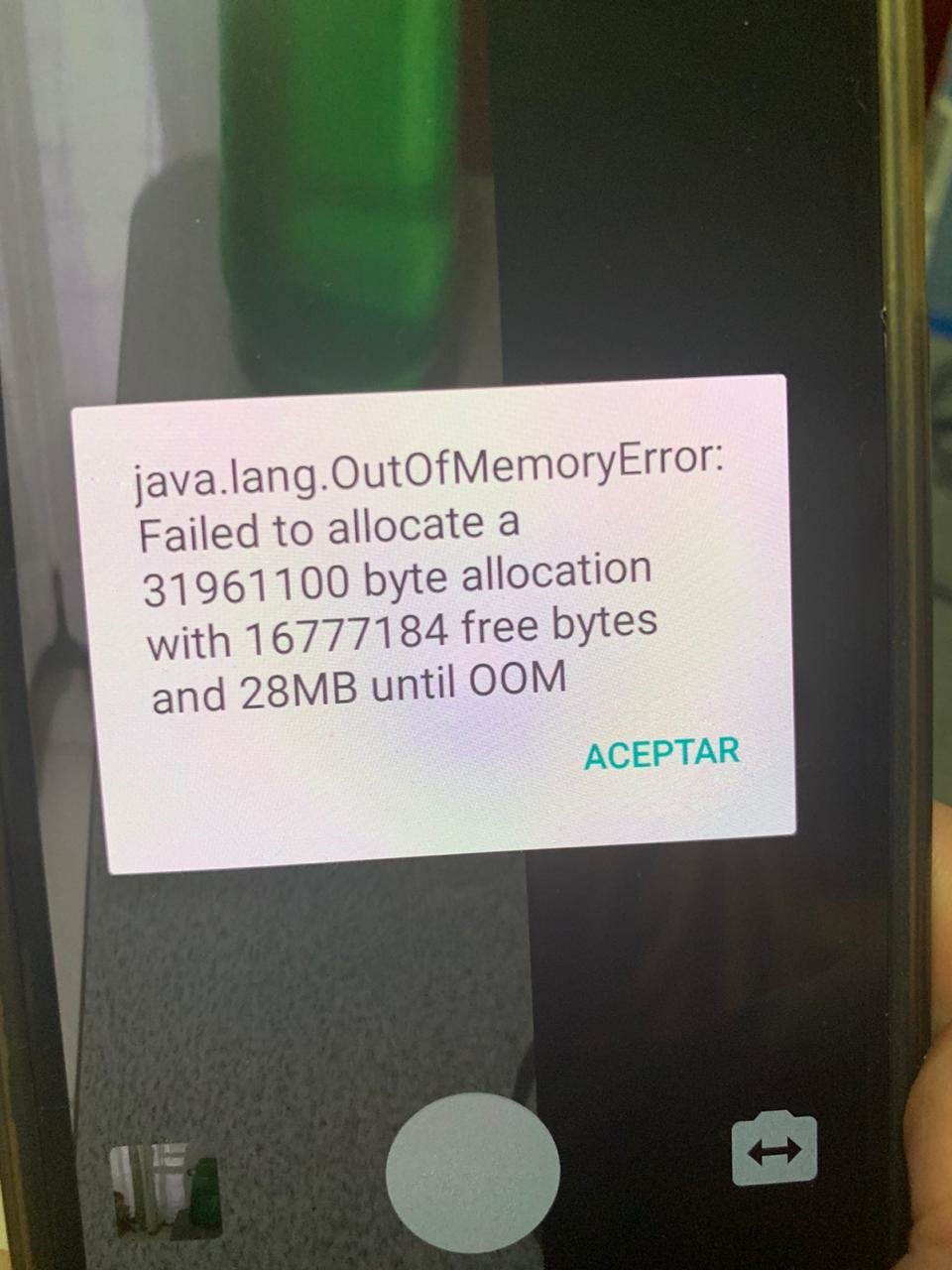
Hi, I get "[DCC Error] E2597 E:\\android-ndk-r17b\\platforms\\android-22\\arch-arm64\\usr\\lib\\crtbegin_so.o: file not recognized: File format not recognized" when compiling. Thanks in advance, Omar ZelayaHi, I think is my OLD device is not supported anymore, tested with a firemonkey app with same results. Thanks in advance, Omar ZelayaHi, app crash when launch demo on device. there is no stack trace info. Thanks in advance, Omar ZelayaHi, I just installed Rad Studio 10.4.1 on clean VM and lastest FGX, executing any FGX demo app crashes and startup. Any hints? Thanks in advance, Omar ZelayaHi, After take first picture camera image get a litte larger, try to take a second picture gets access violation. Thanks in advance, Omar Zelaya CameraDemoLog.zip

 Hi, Any detail how to generate and extract the device logs? Thanks Omar ZelayaHi I have the issue shown on the image with the camera demo. I think I have tested the camera demo before and it worked ok. My test device Samgung J3 Android 5.1.1 Thanks in advance, Omar Zelaya
 Hi, usage of thread method. CustomThread(/// OnStart procedure () begin // show some kind of wait message to user end, /// OnProcess procedure () begin // request data end, /// On Complete procedure () begin /// show end data request end, // On Error procedure () begin /// show error on data request end);Hi Maybe this help, procedure CustomThread( AOnStart, AOnProcess, AOnComplete : TProc; AOnError: TProcedureExcept; ADoCompletWithError: Boolean = True); var LThread : TThread; begin LThread := TThread.CreateAnonymousThread( procedure () var LDoComplete : Boolean; begin try try //OnStart LDoComplete := True; if Assigned(AOnStart) then begin TThread.Synchronize( TThread.CurrentThread, procedure () begin AOnStart; end ); end; //OnProcess if Assigned(AOnProcess) then AOnProcess; //OnError except on E:Exception do begin LDoComplete := ADoCompletWithError; if Assigned(AOnError) then begin TThread.Synchronize( TThread.CurrentThread, procedure () begin AOnError(E.Message); end ); end; end; end; finally //OnComplete if Assigned(AOnComplete) then begin TThread.Synchronize( TThread.CurrentThread, procedure () begin AOnComplete; end ); end; end; end ); LThread.FreeOnTerminate := True; LThread.Start; end;Hi, Rad Studio 10.3 memory manager uses arc on mobile, so you kind of shouldnt dont worry about memory release. On 10.4 on mobile now use standard memory model(not more arc) and you SHOULD be aware to release memory. About second question, not quite familiar with TRestRequest class and ExecuteAsync Method, In my own experience i always do any intenert request using Threads with no problems(no delays on main thread). I would suggest to use Threads to request data from the internet. I'm developing a App that laods data and images from a rest server with no delay on the app using threads. Hope it Helps, Omar Zelaya

8_03_53p.m..png.ea3a0be793065ef25af7d5e901fd4ff3.png)